Free on iPhone and Android
The fishing forecast app that tells you when it’s time to go fishing
Should I Fish? is a saltwater fishing forecast app that turns tide movement, solunar timing, pressure, light, and wind into one score from 0 to 100. Check the verdict, see the bite window, go.
The problem
Guessing whether the fish are biting wastes a trip
Checking the tide, then the wind, then a moon calendar, then a barometer reading, all before you’ve decided whether the trip is worth the drive. By the time it’s pieced together, the window you were checking for might already be closing.
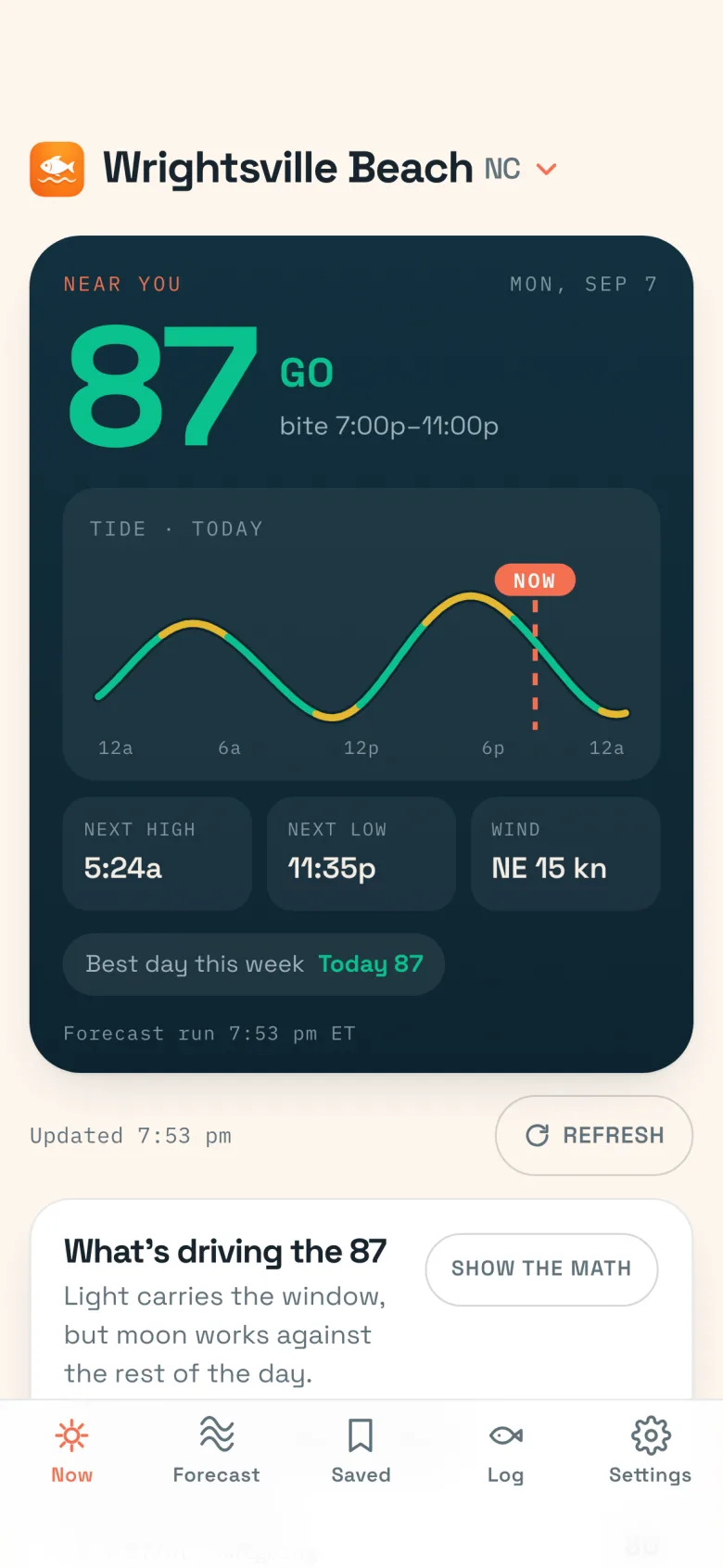
Should I Fish collapses all of that into one score you can read in the driveway. Open the app, see the number, decide.
How it works
How the fishability score works
Every hour gets a score from 0 to 100, weighted from five factors: tide movement (35%), solunar timing (20%), barometric pressure trend (20%), light (15%), and wind (10%). Each factor is a real input, not a black box, and the app shows you which ones are driving the number for the hour you’re looking at.
The verdict
What a GO, MAYBE, or SKIP verdict means
The score turns into one of three words, so you don’t have to interpret a number before deciding whether to load the truck.
GO (75+)
Strong tide movement, good light or a solunar period, and safe wind are lining up. This is the window to fish.
MAYBE (50–74)
Conditions are fair. Some factors help, some don’t. Worth a trip if you’re already going.
SKIP (below 50)
Little is working in your favor, or the wind is strong enough to make the water unsafe. Save the trip for a better window.
Plan the trip
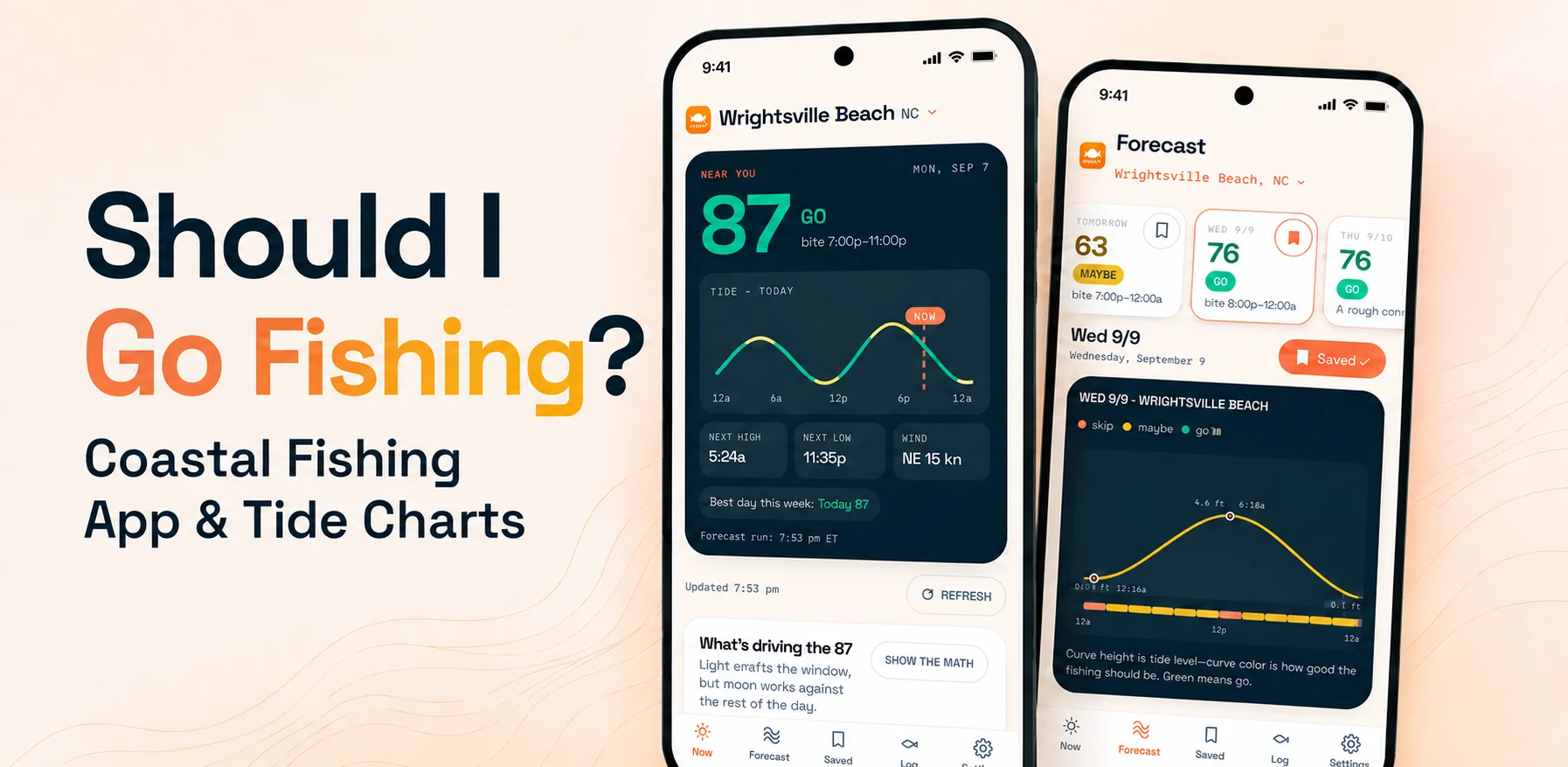
Bite windows and a tide chart colored by fishing quality
Two views of the same forecast: which hours are worth fishing, and what the water is actually doing while you fish them.
Hour-by-hour bite windows
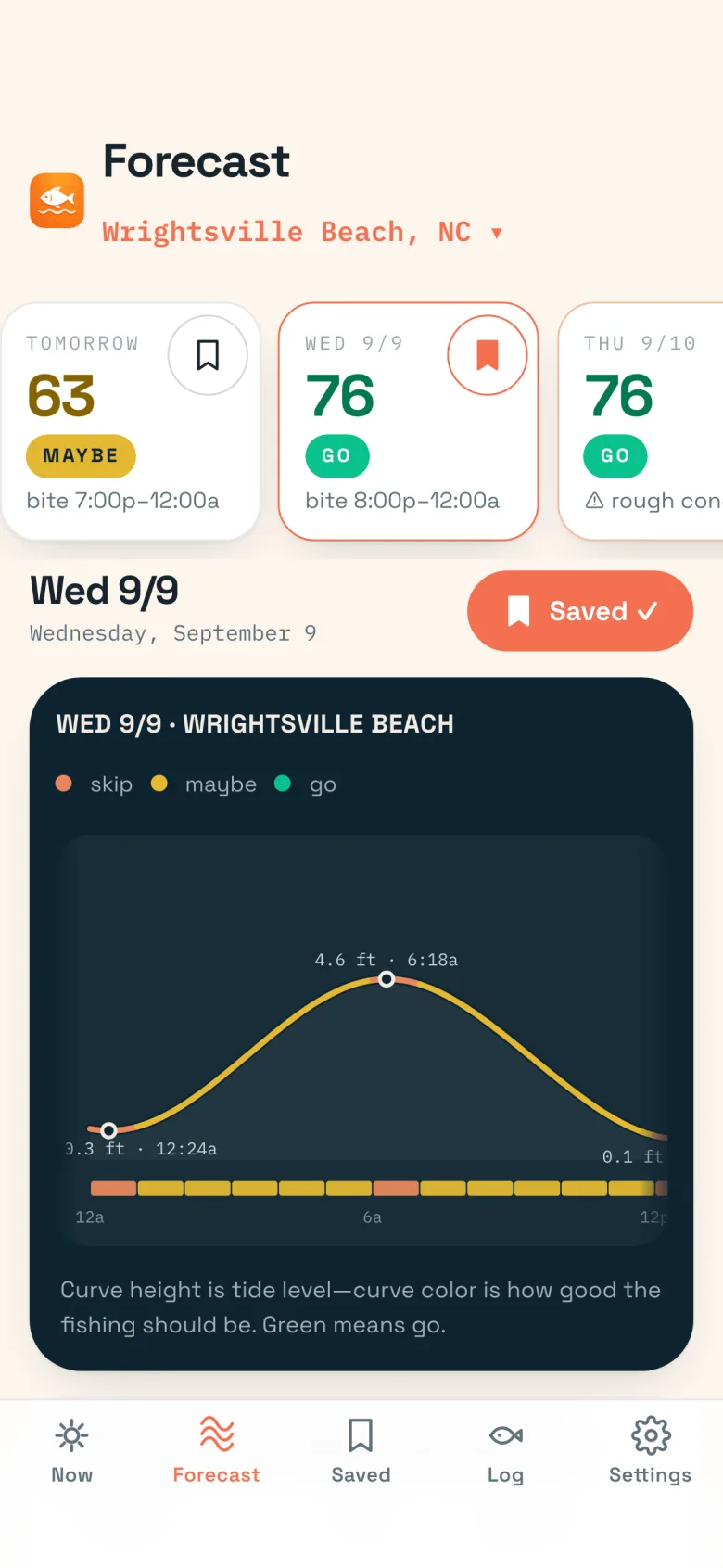
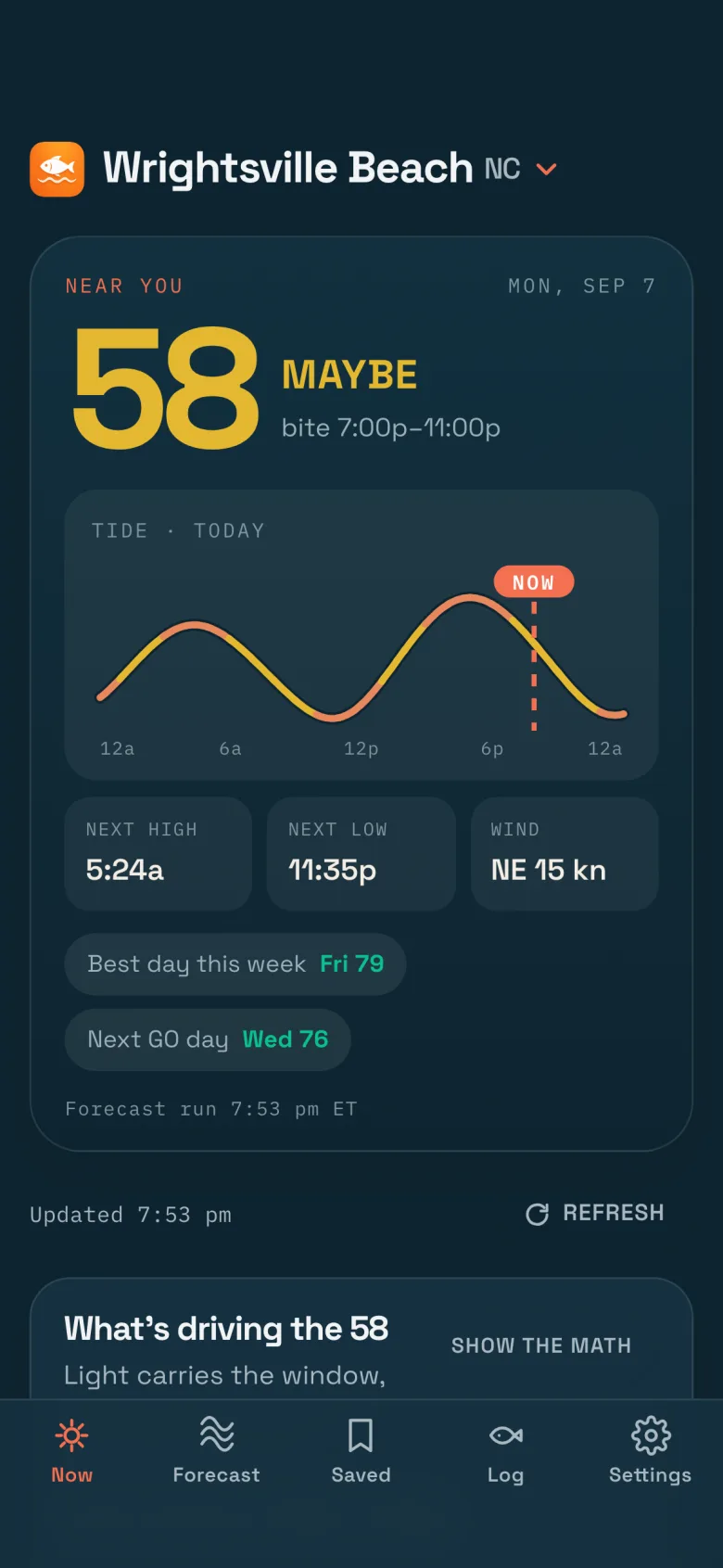
Should I Fish doesn’t just rate the day. It scores every hour and pulls the best runs together into bite windows, so you know which two or three hours are worth building a trip around.
Tap into any hour and the app shows what is driving the number, like an outgoing tide meeting a solunar period, so you know why it scored the way it did, not just that it did.
- Hourly 0-100 score for every day in your forecast
- The best bite window for each day, start to end
- Day cards show each day’s score and verdict at a glance
A tide curve colored by score, not just height
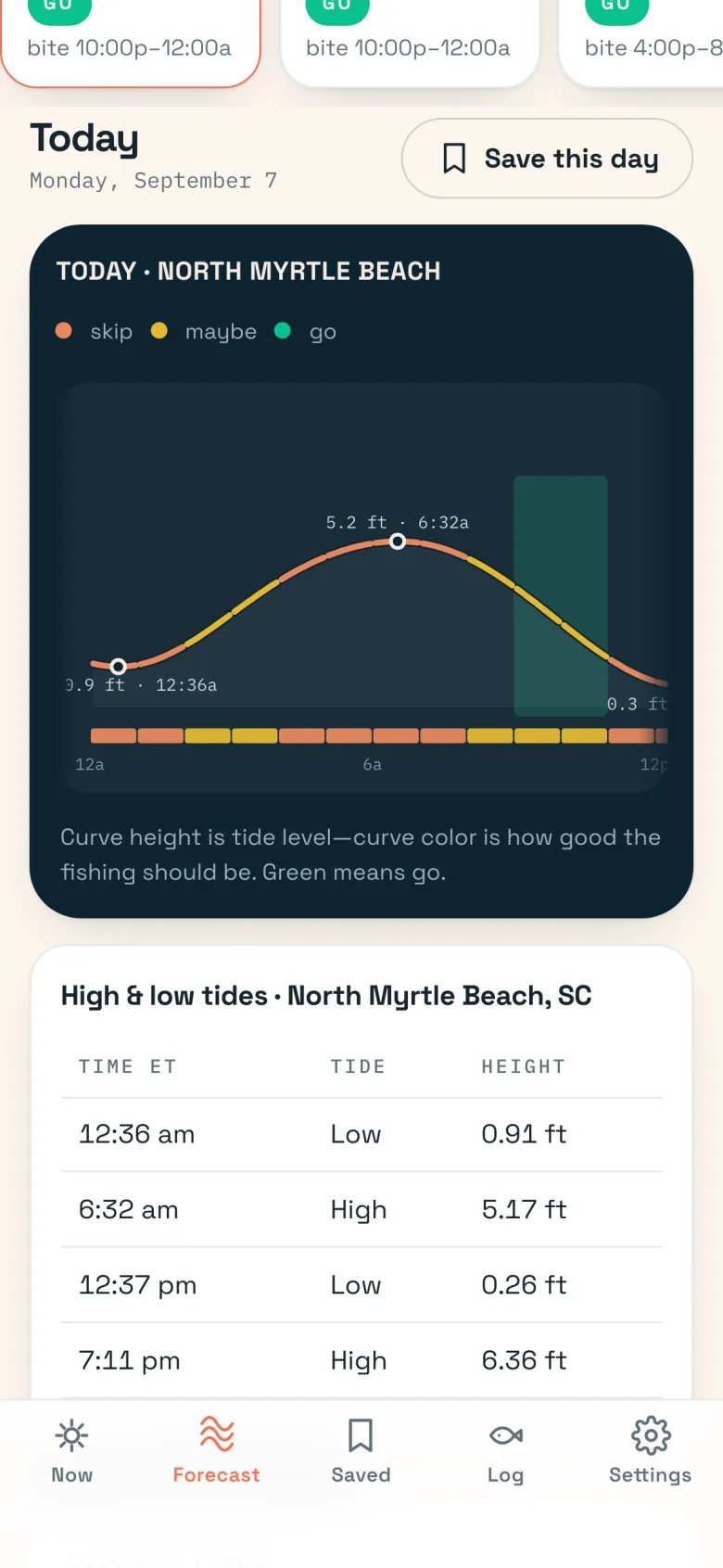
Most tide charts show the water level and stop there. Should I Fish shades the curve itself: green where the fishing should be good, amber where it’s marginal, and orange where it’s slow.
A green wash marks the bite window right on the chart, with the high and low tide table underneath it, so timing and quality live in one view instead of two apps.
- Tide curve colored by fishability, not just height
- Bite window highlighted directly on the chart
- High and low tide times and heights in one table
Your history
See your own catch patterns
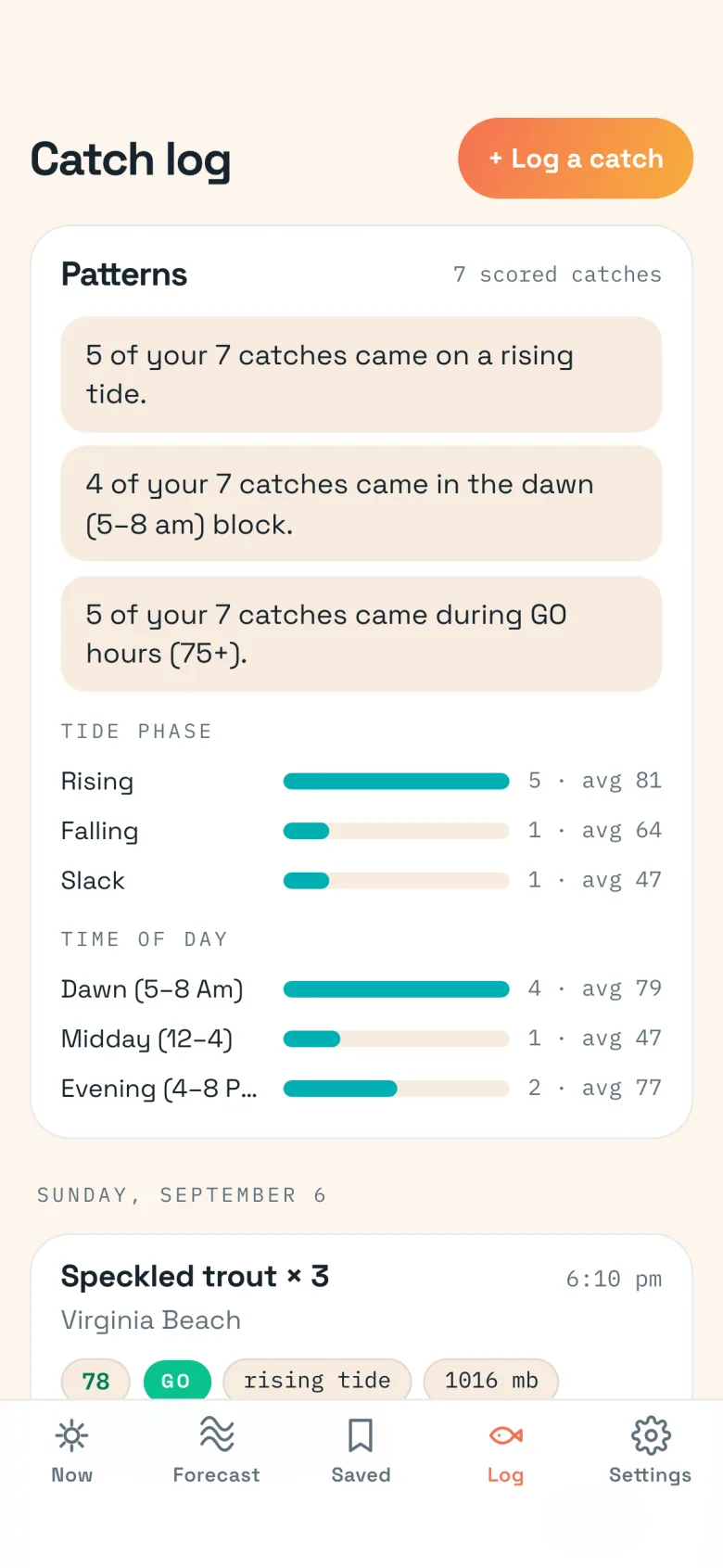
Every catch you log saves the score, the tide phase, and the pressure trend at that exact moment, so your log isn’t just a list. It’s a record of what was actually happening when the fish bit.
Should I Fish turns that record into patterns: which tide phase and time of day produced your bites most often, so you learn what your water does, not just what the model predicts.
- Catch log tied to the score, tide, and pressure at that moment
- Tide-phase and time-of-day pattern bars from your own history
- Patterns get sharper as you log more catches
Stay ready
Saved spots, bite reminders, and a home-screen widget
The planning layer that keeps the app useful without opening it every hour.
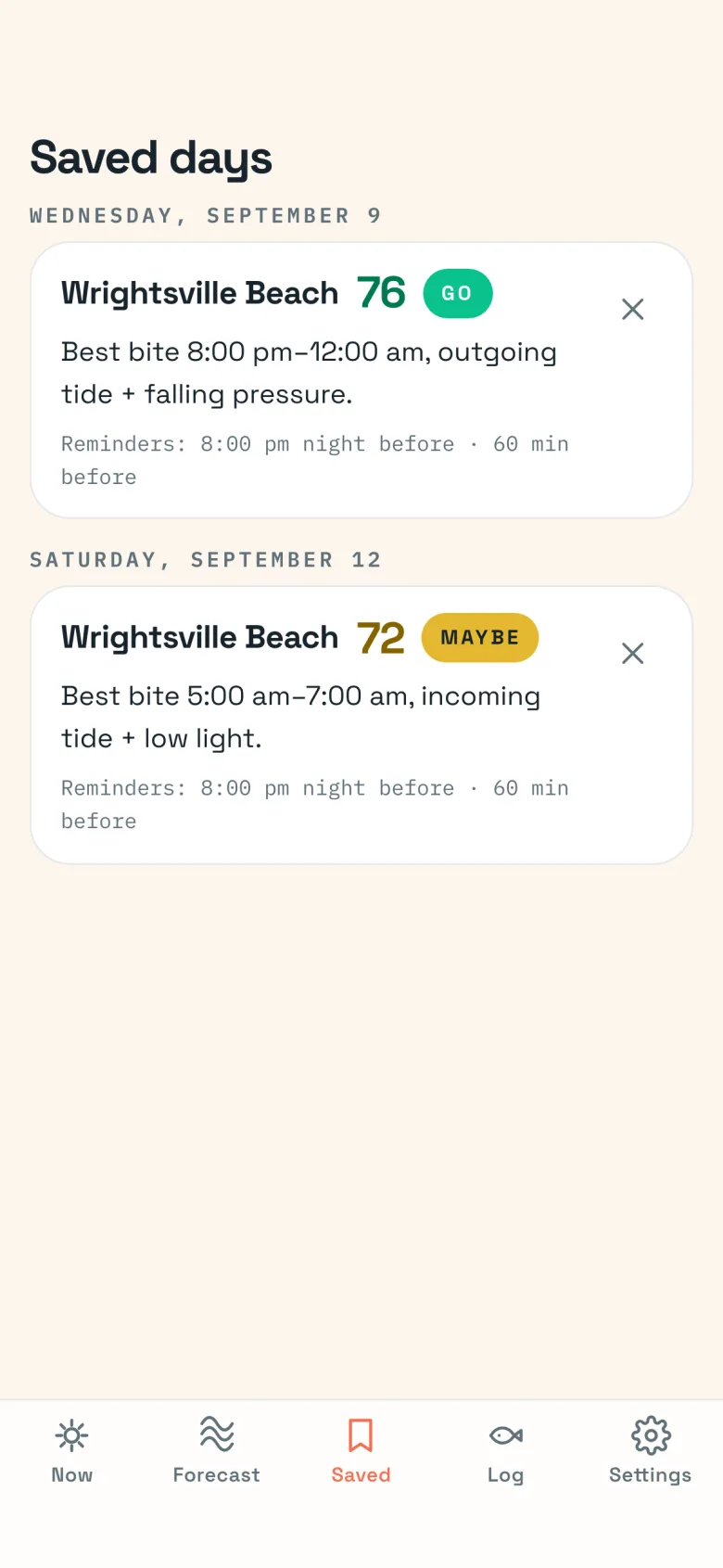
Save the spots and days you fish
Pro saves up to 8 spots, each with its own forecast, so a trip to a different inlet doesn’t mean starting over.
Save the days you already plan to fish and get a reminder before the bite window opens, instead of checking the app all morning.
- Up to 8 saved spots (the free tier saves 1)
- Saved days with bite reminders before the window opens
- Alerts if the verdict changes for a saved day
Check it without opening the app
A home-screen widget shows your current score next to your other apps, in whatever light or dark mode you’re already using.
The last forecast is cached on the phone, so the score still reads at the ramp when the signal drops. Checking conditions takes a glance, not a launch.
- Home-screen widget with your live score
- Full dark mode, matching your phone’s setting
- Rough-conditions warning when wind makes the water unsafe
The data
NOAA tide data you can trust
Tide predictions come from NOAA CO-OPS, the same source behind official U.S. tide charts. Weather comes from Open-Meteo, and sun and moon positions are computed directly on your phone.
Town tide times are estimated offsets from the nearest NOAA station, shown as roughly so many minutes behind or ahead of it, not guessed from scratch.
The honest part
Is Should I Fish accurate? What the score can and can’t tell you
The score is a model, not a promise. It’s built from tide, solunar, pressure, light, and wind data using public NOAA and weather sources, not live reports from anglers on the water.
A high score means conditions line up the way they usually do when fish are active. It doesn’t guarantee a bite, and it doesn’t replace judgment or an official marine forecast before you launch.
See it for your own spot.
Coverage
Where Should I Fish works: Virginia to Florida, Atlantic and Gulf
Should I Fish covers the coast from Virginia through North Carolina, South Carolina, Georgia, and Florida, on both the Atlantic side and the Gulf side. The app tells you plainly if you’re outside it, instead of guessing at a forecast it can’t back up.
Browse every covered town →
Look up a NOAA tide station directly →
Privacy
Privacy: no account, no sign-up
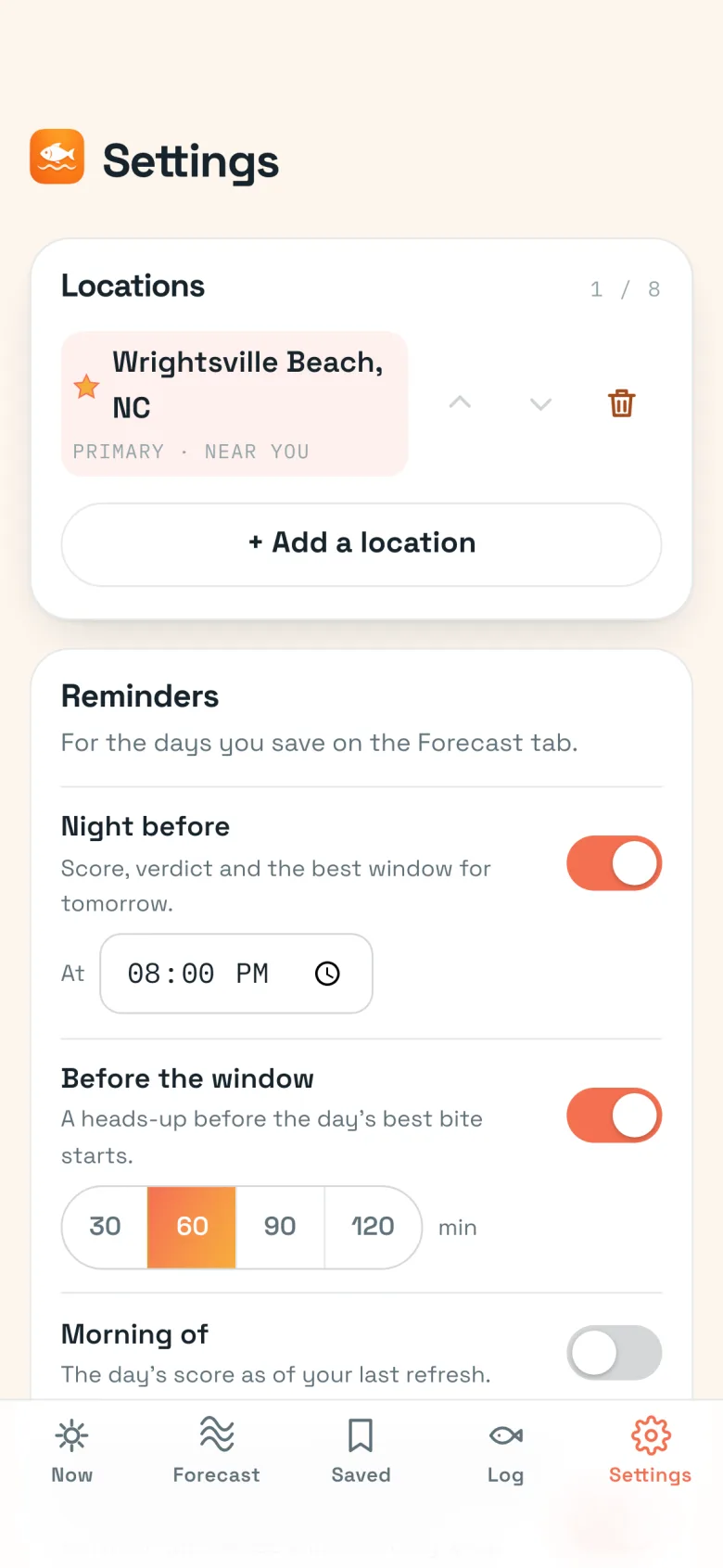
Open Should I Fish and you see your forecast. No account, no sign-up, no profile to fill out before you get to the score.
Your location is used on your phone to find the nearest covered town and is never sent to us. Saved spots, saved days, and your catch log stay on your device.
- No account or sign-up required
- Location processed on-device only
- Saved spots, days, and catch log stay on your phone
Pricing
Free vs. Pro: Trip Pass, Month Pass, or Year
Should I Fish is free to start, with the planning layer sold as one-time passes instead of a locked subscription.
- Today’s bite score, verdict, and bite window
- Full tide chart & high/low table
- 3-day outlook, one location
- Catch log & home-screen widget (app)
- Full 7-day forecast
- Saved days with bite reminders
- Make the most of a vacation week
- Everything in Trip Pass
- Up to 8 saved spots
- Pattern insights from your catch log
- Everything in Month Pass, all year
- Patterns keep learning season to season
- Less than one pack of soft plastics a month
Passes and the annual plan are purchased inside the app. 

Comparison
Should I Fish vs. other fishing apps
Most fishing apps hand you raw data and ask you to interpret it yourself, then charge a monthly subscription for the privilege. Should I Fish takes a different approach on both counts.
| Feature | Should I Fish? | Typical fishing apps |
|---|---|---|
| The forecast | One explainable 0-100 score with a GO, MAYBE, or SKIP verdict | Raw tide, weather, and moon data across separate screens |
| Getting started | No account, no sign-up | Account and profile required for most features |
| Pricing | One-time Trip and Month passes, plus an optional yearly plan | Subscription only, billed monthly or annually |
| Tide data | NOAA CO-OPS, stated plainly | Mixed sources, not always disclosed |
| The score | Shows the factors behind each hour's number | Sub-scores or raw numbers with no single verdict |
| Honesty about limits | States plainly that a good score is a forecast, not a guarantee | Rarely addresses forecast accuracy directly |
Get the fishing forecast app
Download Should I Fish, pick your spot, and see today's score. The web forecast stays free either way.
Frequently asked questions
Is Should I Fish free?
Yes. The free tier gives you today plus the next 3 days of forecast for one saved location, with no account or sign-up required.
What does Pro add?
Pro unlocks the full 7-day forecast, up to 8 saved spots, saved days with bite reminders, and pattern insights from your catch log.
Do I need to create an account?
No. Should I Fish works with no account and no sign-up. Open the app and see your forecast.
Which states and waters does Should I Fish cover?
Coverage runs from Virginia to Florida, on both the Atlantic coast and the Gulf coast.
How is the fishability score calculated?
Each hour gets a score from 0 to 100, built from tide movement, solunar timing, barometric pressure trend, light, and wind. A GO, MAYBE, or SKIP verdict makes it easy to read at a glance.
How accurate is the fishing forecast?
The score is a model built from tide, solunar, pressure, light, and wind data: a guide for planning, not a guarantee of a catch. Conditions and fish behavior can still vary from the forecast.
Does Should I Fish require a subscription?
No. Pro is available as a Trip Pass ($2.99) or Month Pass ($7.99), both one-time purchases, or a Year ($29.99) that renews annually. Passes never auto-renew.
Where does the tide data come from?
Tide predictions come from NOAA CO-OPS, the same source behind official U.S. tide charts.
How is Should I Fish different from Fishbrain?
Fishbrain is a social fishing app built around a community feed, maps, and fish identification. Should I Fish does one thing plainly: a single, explainable fishability score and verdict for your spot, with no account and no social feed.
Does the app tell me the best time of day to fish?
Yes. Should I Fish highlights specific bite windows within each day based on the hourly score, so you can see which hours are worth fishing instead of guessing across a whole day.
Is my location shared with anyone?
No. Your location is used on your phone to find the nearest covered town and is never sent to us. Saved spots, saved days, and your catch log stay on your device.